The working time reports provide detailed information about individual time stamps for each employee. You can analyze these entries and, if you have the required permissions, edit them. Every change is logged in the database.
Select the relevant employee and choose the desired view using the “Individual Times”, “Week”, “Month”, or “Year” tabs.

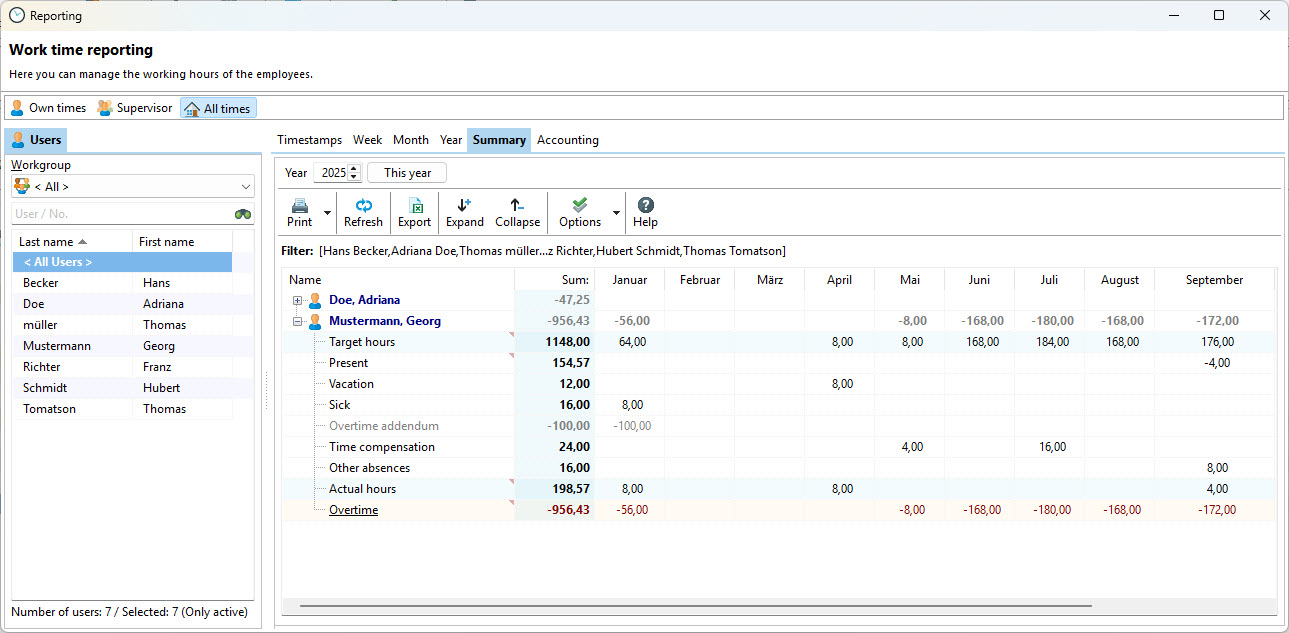
Summary
The summary additionally displays sick leave and vacation hours. Time off in lieu and other types of absences are also listed here.
Payroll Processing
The payroll view is available to HR managers. It immediately shows which employees have already confirmed their working times or completed the month themselves when the approval workflow is enabled. HR managers can review, approve, and close working times here. For a more detailed description, see the chapter Approval Workflow.
